
Sticky notes for the whole web.
Right-click any page, write a thought, and it’s there next time you visit. A free Chrome extension, no account needed.
 Add to Chrome — free
No sign-up
Add to Chrome — free
No sign-up
Install
Add Leafovers from the Chrome Web Store. It takes a few seconds and needs no account.
Right-click
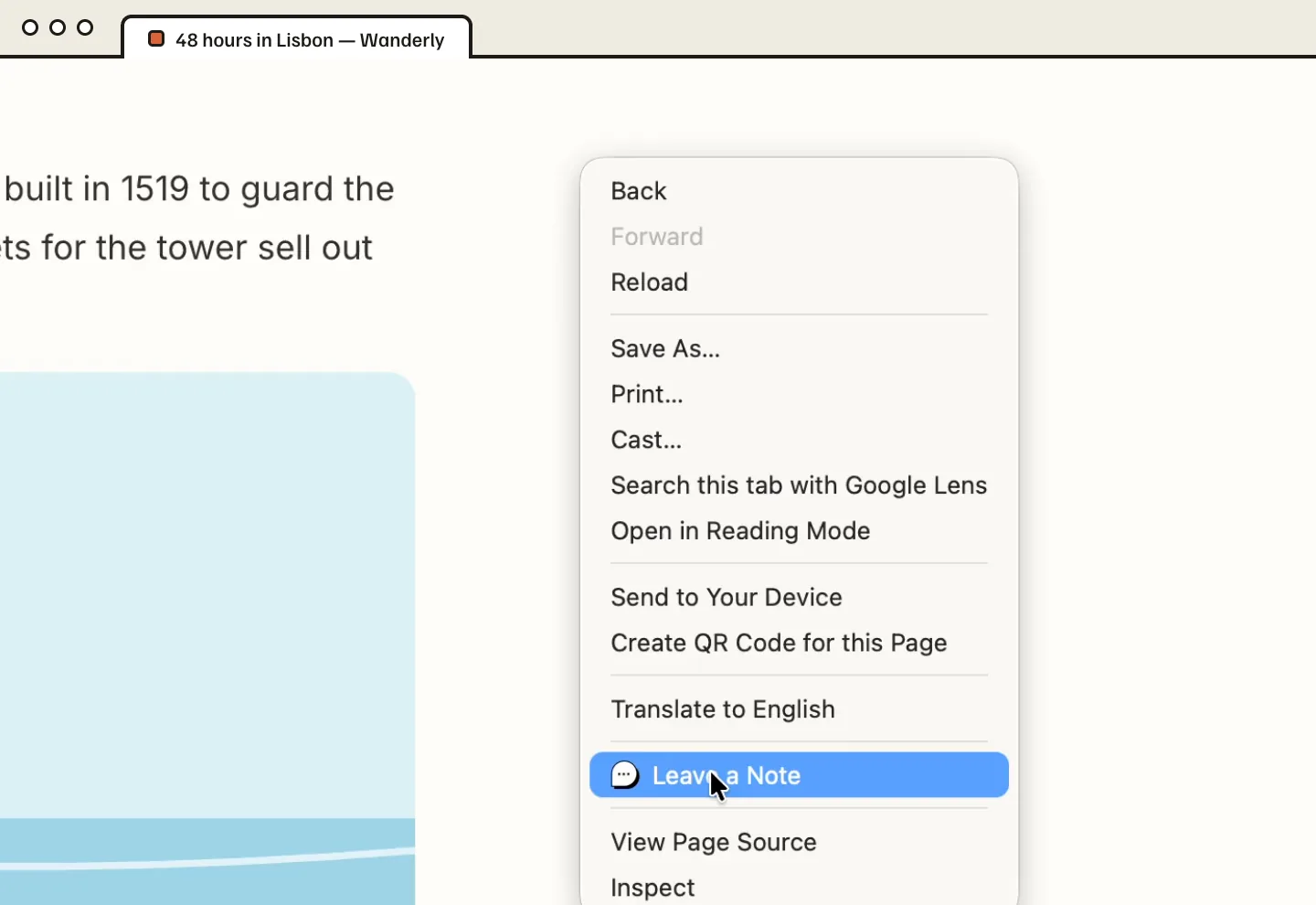
On any page, right-click where you want a note and choose Leave a Note. Type your thought.
Come back
Return to the page tomorrow or next month. Your note is right where you left it.
Everything a sticky note should do. Nothing it shouldn’t.
All features
Turn any website into your notepad, for research, reminders, or whatever you’re thinking about.

Notes anywhere
Right-click anywhere on a web page to leave a note.

No sign-up
Start using Leafovers as soon as it’s installed.

Note colors
Choose from preset colors. Premium unlocks any color and custom icons.

Flexible positioning
Attach notes to elements on the page, or keep them fixed on your screen.

Show or hide
Keep notes visible, or hidden until you hover, so pages stay uncluttered.

Notebook panel
Find and manage every note from every site in one place.

Labels
Tag notes with labels and filter by them later.

Light & dark
Switch modes to match your screen and go easy on your eyes.

Sync across devices
Sign in with Google to back up your notes and see them on every computer.
Pricing
Free for everyday notes. Premium when you want more.
- Up to 10 notes
- Preset note colors
- Notebook, labels, search
- Light and dark mode
- Sync with Google sign-in
- Everything in Free
- Unlimited notes
- Any note color
- Custom icons
- Priority support
Questions
Do I need an account?
No. Leafovers works as soon as it’s installed. Sign in only if you want your notes synced across devices.
Are my notes private?
Yes. Without sync, notes are stored locally in your browser and never leave your computer. With sync, they’re stored securely on our servers and never sold, shared, or used for advertising. See our Privacy Policy.
Is it really free?
The core features are free, with no credit card. Premium, from $1.99/month, adds unlimited notes, any note color, custom icons and priority support.
Can I hide notes when I don’t need them?
Yes. Set a note to always show, or to stay hidden until you hover over it.
Can I cancel or get a refund?
Cancel anytime from “Manage subscription” in the extension — you keep Premium until the end of the paid period, and your notes are never deleted. Not happy with your first purchase? Email us within 14 days for a full refund. Details in our Terms of Service.
Which browsers are supported?
Leafovers is available for Google Chrome on desktop.
Your next thought has a place to go.
Add to Chrome — free